Whatcha Reading?

I thought I’d start off March with something a bit lighthearted and as sort of a follow-up to last week’s post about what I’ve been eating in the last year.

For as long as I can recall, I’ve loved reading. I could not wait until my kids could learn to read. Without reading, we are in many ways limited to what we can see with our own eyes right in front of us. But by reading, we open up whole new worlds.

I’ve stood on the peak of Amon Hen with a Halfling as he stood there, wearing a magic ring, debating what he should do as he looked across the world and could feel himself being spied upon.

I’ve flown in a spacecraft controlled by an intelligent computer that was given opposing directives that it decided it could only resolve by killing its crew as it flew through space on its way to a flat rectangle whose dimensions were known to us to be in a ratio of 1:4:9 and in higher dimensions could be said to extend to to 16, 25 and possibly higher.

I’ve travelled the ante-bellum Mississippi with a young man named Huck and his best friend Jim. I’ve wondered why the hounds of Baskerville didn’t bark. I’ve flown over Italy, dropping bombs on people wondering why I was doing that as they had never done anything to me. And people thought I was the crazy one.

I escaped my boarding school and wandered the streets of New York City for day. (I should note my dad insisted I read this one and told me I’d really relate. I didn’t. I found Holden to be boring, self-centered and honestly, just plain annoying). On the other hand, I loved riding in an automobile escaping New York City to Long Island while past a valley of ashes during the roaring 20s. Those same ashes appear later in the biography of the man who would literally reshape the outline of Manhattan and the traffic patterns of that great city and other parts of New York for generations to come.

I’ve read of a dystopian future that at times seems all to close where certain women are forced to wear red cloaks and to bear children for other couples. But I’ve also sailed across the seas of a foreign world where there are no continents, just archipelagos of islands, on one of which one a young woman, raised to be a priestess/goddess to her people learns from the gentleness of a young man she’s forced to impression that there’s so much more to learn of the world and gains her freedom.

I’ve sailed into deepest Africa to find a man who has gone crazed with power. And later voyaged to the bottom of the planet on a sailing ship, only to find myself stuck with my fellow crewmates in ice for over a year. Our captain undertook a daring and amazing voyage to a whaling station, only to have to cross over the mountains between where they landed and the village in order to find our rescuers. I’ve also sailed to the Moon and back, numerous times, the first, hitchhiking along on Christmas Eve as the story of creation was read to the nations of Earth. I joined him again later only to discover once again we weren’t going to land, in fact we weren’t even going to orbit. But that’s ok, I also travelled to the Moon and back again not just once, but multiple times, including with the first man to walk on the Moon and the last.

I’ve also hiked to the top of Mount Everest and surveyed the detritus of bodies of those who attempted the trip and failed and felt relieved to know that at least one who had been left for dead later found the will-power to pick himself up and crawl to the nearest camp. In a similar vein, I’ve read both sides of the story, of two climbers in the Andes, one who had to cut the rope of his partner, letting him plummet to his death, the other being the one whose rope was cut, falling not to his death but to a miracle. But I was also heartbroken to read of the young man who went into the wilderness of Alaska to live, and ultimately die in an abandoned bus.

And then yet another morning I woke up to find myself in the body of an insect, wondering what it all meant. And another day I came home from school to find a tollbooth in my bedroom through which I could ride a toy car and be joined by a humbug and later jump to conclusions.

Ok, enough reflections on that, let me talk a bit more about what I’ve read or will read in the coming months. I’m a luddite in some ways. I still prefer the feel of dead paper in my hands. At the top of this article is a photo of some of the magazines I tend to read on an a monthly basis (I just realized at least one is missing).

Discover and Scientific American: I read monthly, cover to cover and learn all sorts of new things. I highly recommend everyone read at least one of these. Yes, some might argue they “dumb down” science, but in reality I think they make it more accessible.

NSS News: This is an interesting one. The articles can range from extremely technical (the chemistry and hydrology of a cave for example) to very lighthearted or celebratory. It’s one of the few printed items I read where on a nearly monthly basis I can expect to read the name of someone I know personally, or see their credits for photos. It also collects excerpts from grotto newsletters, giving me a more intimate feeling of what other cavers are doing.

Trains: Ok, this is a bit of a niche market, but I’ve always been fascinated by trains and railroading and in fact bought stock in BNSF long before Warren Buffet did. He just had a bit more money than I did when it came to buying the whole thing.

Outside: I’ll admit I actually read this the least. I get it for free, so it’s nice to browse when I have time. But honestly, I’d rather BE outside than read about it!

Air & Space: Again, following my theme of science and space, I love reading this one.

The Times Union: Ayup, I still read the daily newspaper. I find an online version doesn’t cut it. When I was working in the Washington DC area I also subscribed to the Washington Post (and then on the weekends would come home and catch up on the Times Union)

But what else? You may notice so far I haven’t mentioned anything about SQL Server. But, just this past month I finished reviewing a book a publisher has asked for my feedback on possibly editing and updating. So there’s that. But I find most of my SQL reading is done via blog posts. These include but are not limited to:

Monica Rathbun: some great articles, generally with a focus on performance. Well worth the read!

Deborah Melkin: I’ve known Deborah since she first came to SQL Saturday Albany to speak and have always enjoyed her style and ability to make complicated things simple enough to understand.

Steve Jones: I think he probably blogs the most of anyone I follow. I’m not sure how he does it, but it’s consistently great.

Ray Kim: a fellow member of the Capital Area SQL Server Group, he, like me blogs about a lot more than just SQL Server. He will often focus on baseball, like his most recent blog entry.

Derek Lyons: I’ll admit, anime has never really been my thing, but it’s always nice to see what a friend is writing about. But if anime IS your thing, check out his blog.

And of course I’d be remiss if I didn’t admit that I’ll google stuff a dozen times a week if I need to, so there are plenty of other blogs and pages I’ll hit on a regular basis.

And being the luddite I am, I still read Usenet and actually moderate the sci.space.tech and sci.space.science discussion gorups.

And I really do read SQL books from time to time, they’re just not overly gripping reading!

Finally, living outside of Illium, err Troy, I once met a young old man who went by the name of Billy who told me of his adventures in WWII and travelling to another planet. All the above is just a small part of what I’ve read and a small part of what I will read. And so it goes.

Guy’s it’s on Us

A short thread on Twitter yesterday prompted today’s blog. Dr. Jen Gunter (who I do not follow) mentioned her planned response to “I don’t have a question, it’s more of a comment.

One of the replies I thought completely missed the point and I tried to respond in a somewhat humorous but pointed way to the man replying. It took him about 9 hours, but he finally replied and I think based on his reply, completely missed my point. Oh well. I had tried.

But it got me thinking. Had I been blunt enough? Should I have been a bit more confrontational? Could *I* stand up at a conference and give Dr. Gunter’s pointed reply? And of course, the nagging question in the back of my head, “had I commented when I a question was the appropriate response?” or otherwise ended up “centering the discussion around me rather than the original person?”

Let me address the last first. I’m sure I have. I like to think “well I’m a friendly guy, I like to relate and show I’m relatable.” And that’s all true, but, that’s also part of the problem. It’s a case of recentering a discussion or something around me. I’ve always tried to be conscious of this since college when I took a class at the women’s college down the hill and realized that what I had heard about men dominating discussions was true. In a class of about 20 students, with just 3 men, one of the men (and no, it wasn’t me) clearly dominated the discussion.

Anyway, back to my response. I actually sometimes am jealous of some of my friends who can have “I have no fucks to give” attitude and will openly confront someone like that. I think sometimes that can be a good thing, especially with a more egregious example. And I’ve seen some that are pretty bad.

My attempt to deflect the one tweeter’s reply with a bit of humor apparently failed. So I started to think about how I might handle this at an actual seminar and then I realized I had.

It was at a SQL Saturday a number of years ago. It was a good topic, though, for reasons unknown to me, the presenter has not, to my knowledge presented again. And then there was the raised hand. It was someone I knew. And, he had more of a question than a comment. Then again about 10 minutes later. And I think probably a 3rd time. Now, he was in now way being mean or malicious. Heck, I think no matter how hard you looked, you’d never find a mean bone in him. He’s genuinely a decent guy.

But, and this is what I think we all need to do, after the talk, I pulled him aside and pointed out what he had done. He as embarrassed and apologetic. And he vowed to do better.

And as I write that, I realize, this happened TO me. See, I said I wasn’t perfect and I had failed. This time it was on Twitter. I typed a reply that I meant to be supportive and add a touch of humor. A friend DM’d me, “Really?” At first I was confused, but when I asked for her to expand, she pointed out what I had done. Yes, I had meant well, but sometimes intentions are less important than results or even perceptions. I decided to delete my comment, despite her saying it wasn’t necessary. I realized I had not contributed to the discussion and my comment could be a distraction that wasn’t needed. And since them I’ve tried to be better. But a comment she said stood out to me. She DMd me because she thought I was one of the “good ones” that I’d listen and accept feedback. That meant a lot to me. She could have ignored my comment and let me continue to be a jerk at times, or she could have publicly called me out and humiliated me, which might made her point publicly, but caused me to be hurt and not grow. She took the time. I appreciate that.

However, yesterday’s Twitter thread reminded me that all too often in situations like this, women and other minority (in that environment) group end up doing the emotional labor of trying to keep the discussion from recentering the discussion the “I have more of a comment than reply” crow.

Therefore, I think often the onus needs to be on us men to call out our fellow men to say, “hey, that’s not cool” or “do you realize how you came across there? I know you didn’t mean that.” We can’t rely on women and other minority groups to do all the emotional labor. So if you see someone trying to talk over a speaker, pull them aside. If you hear them make an off-color comment in a meeting, speak up. Call out behavior. Find a method that works for you.

I prefer, but am not always good about doing it, calling our behavior a bit more publicly. Not necessarily to embarrass the commenter, but to hopefully get them to correct their behavior and so that the original speaker knows they have support.

For example, if someone in a meeting makes a comment about “yeah, let the girls over in accounting handle it”, unless this is an accounting class for teenagers at an all-girls school, you can and should say “Umm, you mean the women right?”

You don’t have to humiliate a person to make the point. In most cases, the person doing it may not be aware and simply needs a nudge. Give them that chance like I was given. Now, in the end, there will be a few folks that do need to be simply called out and made an example of. I’m ok with that, but for the vast majority let’s work to give them the nudge.

We’re all Scientists

Anyone who has had a young child knows that they like to pick up items and let them ago. This can of course be particularly frustrating when trying to feed them in a high chair and they decide they want to keep dropping their spoon.

But, honestly, it’s also sort of interesting. They’re being scientists and they don’t realize it, nor do most parents. They’re learning about gravity and consistency.  Things fall, and they do so consistently.

In the last century, Jean Piaget spent a lot of time researching child development and how kids learn and when they learned. Basically, among other things, they’re constantly doing little experiments and updating their worldview based on the results. Parents often observe this as a child develops language and grammar. A toddler might say something like “Where are Grandma?” and the parent corrects them to say “Where is Grandma?” and the child starts to develop the concept of verb agreement when it comes to singular versus plural. When you stop to think about it, much of the grammar you learned and use often happens long before you actually enter school and learn it in a more formal way. For example, did you realize there’s an order we use for adjectives that I suspect none of us formally learned in school?

While we may call this curiosity, it’s really being a scientist.

Unlearning Curiosity

At some point however, often we have to put a limit on a child’s curiosity. We start to tell them, “don’t touch the stove” because we’d rather they listen to us than to experiment and find out the hard way. This is probably properly cautious, but I think we can often go to far and we end up stifling a child’s curiosity. Sometimes this is overt as we tell kids, “don’t touch that, you’ll break it” or similar admonishments. And for the most part, that’s probably a good thing. But often we stifle in ways that are unintended, the classic “Math class is tough” which only served to reinforce a stereotype that girls didn’t do as well at math as men. As we know now (and honestly, some knew then), that’s not true.

Decades ago when I was teaching an adult continuing education class “Intro to Computers” (which at one point transitioned from Windows 3.11 to Windows 95, to give you an idea of how long ago that was), the biggest lesson I had to teach the students was “try stuff, don’t worry about breaking something. You probably won’t and if you do, I can fix it.” They literally had internalized a lifetime of “don’t touch, you’ll break things.” Once they overcame that fear, the rest of the class was easy. Once they realized they could be curious and try things and experiment all I had to do was provide guidance and encouragement. They generally learned most of what I wanted to teach on their own at that point.

Keep Being Curious

Personally, I love being curious. I love learning. I read 3-4 magazines a month including Scientific American and Discovery. I can’t tell you how many blog posts I read on SQL, PowerShell or random subjects, and on my cell phone, right now I have 47 tabs open to Wikipedia. These include tabs on Operation Barbarossa, Louis Brandeis, the Napoleonic Code (this last one after reading the entire page and multiple others on Common Law), and Neutron Cross Section among others.

But it’s more than that. I’ve also like to see how the real world acts. Last night I bought a bag of potato chips and before I opened them I realized they were very puffed up. I thought that that was curious and perhaps the result of something that happened at the factory until I thought to look at the barometer.

Which is a better barometer?

Ayup, it’s definitely raining

It’s nice when my hypothesis (the atmospheric pressure must be lower than usual) is confirmed. I of course dragged my daughter along to test my hypothesis.

I rewarded myself for my correct hypothesis with some chips. It only seemed fair.

This is not the first time I’ve seen this impact of atmospheric pressure on a sealed package. Back in college my buddy and I drove to the Grand Canyon, hiked it, and then up over the Rockies via the Eisenhower Tunnel. We had with us a vacuum sealed package of Canadian bacon that we had put off opening. We could definitely notice the change in atmospheric pressure as we drove from near sea-level where it was packaged to the top of the Canyon (over 7000′) hiked down to the bottom (closer to 2000′), back out and then drove over the Rockies (over 11,000′). At the Rockies the “vacuum” packaging looked like a balloon! It was actually fascinating to observe.

Takeaway

Keep being curious. Keep being a mini-scientist. Explore the world. Keep learning. And most of all, have fun! Within reason, don’t be afraid of breaking things! Drop that spoon. Make a copy of your database and try to use new tools to manipulate it. Experiment. Be curious and learn.

The Song is Over

So the past few weeks I’ve been writing about PASS in general and about Summit. And now like several of my fellow #SQLFamily members who have already blogged, such as Deb Melkin and Andy Levy, I’ve decided to post a post-Summit post.

First Impressions

Virtual Summit was better than I expected it to be. Let me actually correct that a bit, it was much better than I expected. Now, it was not as great as in person, but my fear was virtually it would completely lack any semblance of the social interaction that makes Summit such a great experience. And while the social interaction was greatly diminished, it was still there and that made it a great experience. I will add that Twitter really helped here, both with the #SQLFamily and #PASSSummit hashtags.

My Sessions

I was honored to have the opportunity to speak at two sessions this year. This is a grand total of two more than I’ve ever had given before. Initially I had been selected to give a session on PowerShell for DBA Beginners. I was a bit disappointed to learn it would be a prerecorded session, but took that in stride. I was very curious how it would work. More on that in a bit. A few weeks before Summit I was asked to take part in another session, this time a live panel session All About PowerShell Panel Discussion. I immediately said yes. And then was later reminded by my wife I’d be out of the house taking her to an appointment and back. This was going to complicate things. But I didn’t want to say no, in part because I felt honored to be among such great luminaries: Hamish WatsonBrandon LeachRob SewellBen Miller. So, I decided I’d do it from my car in the parking lot. And since this would be live I was really excited for that, since I had been looking forward to the real-time interactions. The only other drawback was the timing. It was an 8:00 AM EST session on Wednesday, which meant it was one of the first sessions of Summit, and it would be live, so if there were opportunities for things to go wrong, this would be it. Other than Hamish being up at I think about 1:00 AM his time and a wee bit sleep deprived (or as he put it, the entire world now was on Hamish Standard Time) it went really well. He did a great job of moderating and we had a very good turnout and a number of good questions from the audience. I’ve written about PowerShell quite a bit in my blog and for Redgate and feel very strongly that every DBA needs to have some experience with it, so this was a great opportunity for all of us to evangelize a bit. I was really happy with the this session and can’t wait for the recording to be available. It left me in a very energized state for my session at 2:00 PM the same day.

I had realized several days before my 2:00 PM session that there was a benefit of having it prerecorded. I didn’t have the normal butterflies I have before presenting. It was done. I couldn’t change it. I went into it very relaxed. That said, I did make one change to my normal desktop setup. I added a monitor.

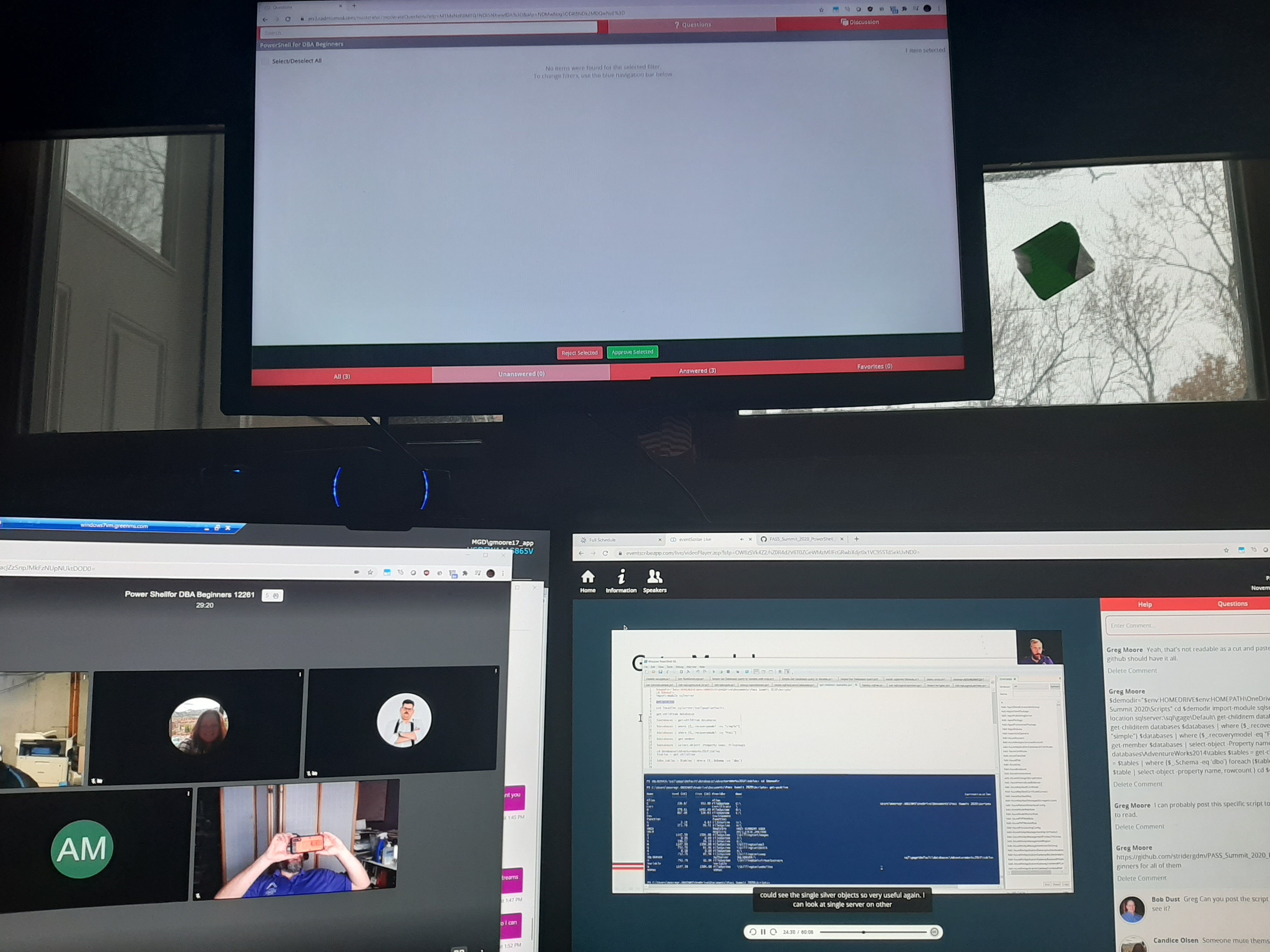
Multitasking at Summit for the win!

The upper monitor is generally my TV but has a HDMI input so I added that to my usual setup. This allowed me to have the ARS window up there so I could see questions and comments and answer them or moderate as needed. The lower left is the video chat window. Though in theory this was only needed during the live Q&A session at the end of my session, I opened it right at the beginning and was able to chat and share with others. You can see my accidental selfie in it. The rightmost monitor showed my presentation as attendees would see it.

After chatting with some other presenters I realized most did not go full-bore like I did and just did one window, generally the ARS window, or maybe the ARS window and their presentation muted in another. For me, the setup above worked well and I’d use it again. I’m used to multi-tasking like this and it worked really well. While I couldn’t modify the presentation itself on the fly in response to audience input, I could interact with the audience in a way I hadn’t previously.

One drawback of the system was while my presentation was on, I had no idea how many were actually “attending” it. Before it started the window with the link to it showed 143 people as “attendees” but I have no idea how many actually ended up viewing, but I’ve got to say even a 1/3rd of that number would have been a win for me. I was VERY happy with those numbers. Also the questions I got during the session and during the video chat Q&A after and then via email really pleased me. It seems like I met my goal of generating interest among people was a success.

Another drawback I realized half-way through (due to a mistake on my part of trying something) was that if you came into the session late, you started at the beginning, not at the same point in time as everyone who had started at the start of the session. While later on I think this is ok, I think during the session presentation times, folks should come into “where the session is at that time”. For me, it meant I had to figure out where most of my attendees were at that point in the session.

After I was done I realized, “that was it. My work is done, the rest is just fun now.”

Other Sessions and Events

I found myself, despite work interfering attending probably as many sessions as I might have at an in person Summit. These included Rob Sewell‘s session on Notebooks, PowerShell, and Excel Automation and LGBTQ+ and Pass Local Groups Birds of Feather sessions on Wednesday.

On Thursday I started with Bob Ward‘s Inside Waits, Latches, and Spinlocks Returns (which is so information rich, but at 8:00 AM EST? Really? And what’s worse, is he makes it seem just so natural), part of Erin Stellato‘s Query Store Best Practices and part of the Diversity in Data Panel Discussion: For the Professional Woman, Itzik Ben-Gan’s Workarounds for T-SQL Restrictions and Limitations which again blew me away with how powerful SQL can be in the right hands.

On Friday I moved on to Brand Leach’s SQL Server Configuration And Deployment With Powershell DSC which gave me some great ideas I hope to implement someday. After lunch I caught Ben Miller’s Getting Started with PowerShell as a DBA (I always like to see how others present on similar topics, gives me ideas to compare and contrast and while we had similar topics, very different approaches and I’d recommend people view both). I finished the day and basically the Summit with Panel Discussion: Consulting 101 – Help Us to Help You. Despite being a consultant for many years, I’m always looking for new tips (and new clients, hint hint)

I also attended several of the keynotes and was especially blown away by the Diversity, Equity & Inclusion Keynote by Bärí A. Williams. I would HIGHLY recommend watching that when you get a chance if you didn’t watch it before.

So That Was Summit

So technically that was Summit. I learned a lot and had a great time. But, I have to talk about some of the drawbacks and disappointments.

For the vendors, I think Summit was a bust. This is unfortunate. I think it’s just harder to do it this way. One thing I noticed is that some vendors advertised “one on one” video chats. I avoided them because I didn’t want to tie up precious resources just being sociable (I don’t have much vendor needs these days). But it turns out in at least one case it was really a 1:Many relationship and the vendor would have welcomed more folks just stopping by. I think that’s on the vendors for not being clear enough in their own descriptions. But that said, even with that change, I think an issue with “stopping by a booth” is there’s more pressure to make it solely productive and not about being social. I don’t know how to change that. I’ll also admit I quickly gave up on trying to collect my points or whatever it was like I would stamps at the in person event. I was told this was more straightforward on the mobile app, but I had no desire to download that, especially since I was attending from my desktop. That said, I think in general vendors struggle with making virtual events worth their time and money. That last one is important because it’s what makes PASS possible. So, perhaps it’s still worth showing a vendor some love and mention you saw their name at Summit.

Overall, I’d say I think the prerecorded sessions and the ARS/Video chat stuff went better than I had hoped for. I’d probably do it again if I had to. I really only had two issues. For the prerecorded sessions there was no way to “pop” it out or expand the presentation screen. You were forced to have he Chat/Comment sidebar at all times. This took up precious screen space. For some reason on the live sessions you had this ability. This should have been made available on the prerecorded sessions. Also, it appeared the session window did not scale. i.e. if you had a monitor with higher resolution, it simply kept a certain mount of space around the presentation itself. Overall, the session window did NOT take good use of screen real-estate. This was compounded by the fact that some presenters (me included) did not make their fonts large enough. On my screen when I was recording, the size was great, but once in the presentation window, for many nearly unreadable. I know at least one person left my session because of that. I’ll own up to the fact I should have better headed the recommendations and probably gone overboard on font size, but the fact that screen real estate was so poorly used only exacerbated the situation.

I was disappointed in the turn-out for the two Birds of a Feather sessions I attended. I think the timing was rough, especially for folks on the East coast and perhaps Central timezones. Honestly, I think the Birds of a Feather and some of the other social times should have had FAR wider windows of time, perhaps from lunch until dinner or past. Take advantage of the fact that folks are in different timezones to get more moderators. I know I’d have attended more Birds of a Feather sessions had they been available at times other than when I was making dinner (or eating my salad).

That aside, the one issue that quite honestly angered me and I felt there was no excuse for was the horrible closed-captioning. When I first heard about it I was excited because I’m a firm believer in accessibility. All speakers were told we had to have our sessions recorded early enough so that closed-captioning could be applied. Given the time frame I had wrongly assumed this included time for a Mark I human brain review. It was VERY apparent that the closed captioning was purely automated and had not been reviewed. Some of the errors were comical, apparently at one point I was talking about T-CPU and not T-SQL, and another presenter was creepily talking about skin. Other errors made the presentation at times seem senseless. I had more than one person comment that the real-time capabilities of PowerPoint did a better job in their experience. Pretty much every speaker I spoke with had similar complaints. So, in conclusion I’ll say, I’m not sure the point of having stuff in so early when current realtime tools from other vendors can already do a better job. If you have two weeks to review the closed-captioning, I highly recommend outsourcing it to a human to review. Or somehow give speakers the ability to touch it up (if that was a possibility neither I nor any other speaker I spoke to was aware of it, and it was not on our speaker checklist on the dashboard). Honestly, not only do I think there was no excuse for the poor quality, I think it did an actual disservice to any hearing impaired people trying to attend.

Finally

By the time you read this, it’s probably too late, but if you haven’t VOTE OR YOUR PASS BOARD if you’re eligible. I’ll be blunt, we’re at a crossroads with PASS and we may not have it a year from now. But no matter what happens, if you’re eligible to vote and failed to do so, I really don’t want to hear you kvetching about the future of PASS.

And while it’s too late to register for Summit, if you have already, remember, you get access to ALL the sessions for the next 12 months. Take advantage of that!

A Speaker’s Timeline

This post will be short, for reasons that are hopefully obvious by the end.

Sometime in February

Hmm, I should put together some ideas to submit to present to SQL Summit in Houston (not Dallas as Mistress SQL pointed out to me) this year.

March 16th

An update, the call for speakers has been postponed. Darn.

March 23rd

Call for speakers is finally open!

March 30th

Submit 3 possible topics.

April 1st

Approach a fellow speaker about a possible joint session, but after discussion, decide not to go ahead with the idea.

June 3rd

Get an update, Summit will be virtual this year. Thankfully I didn’t book any tickets or hotel rooms in Dallas.

July 20th 6:49 PM EDT

Woohoo! I got the email! One of my submissions got selected to present!

July 20th 6:50 PM EDT

Crap, now I actually have to write the entire thing!

July 20th 6:51 PM EDT

Wait, and it’s going to be virtual too. That’s going to make it a bit more of a challenge to present. But I’m up to it!

Sometime in August

I really should get started. Hmm, here’s one of the scripts I want to present.

But honestly, I’m preparing to teach a bunch of cavers and medical students cave rescue, I need to concentrate on that first.

September 5th

I just biked over 100 miles. I’m certainly not working on my presentation THIS weekend.

Later in September

Ok, now I’m going to sit down and really work through this. Here’s a basic outline.

October 1st

Oh wait, it’s going to be virtual AND I have to prerecord it? How is that supposed to work? I had better read up at the speaker portal!

October 2nd

Huh, ok, that sorta makes sense, upload the slides, do a recording, but I still don’t get how it’ll work with a presentation like mine with lots of demos. Well I’ll figure it out.

October 6th around 11 PM EDT

Well the PowerPoint template deck they provided looks pretty slick. I should start prepping my slides.

October 6th, approximately 5 minutes later

There, got the first slide done. Of course it’s only my name and pronouns, etc. But it’s a start.

Oh and the 2nd slide is done, but that’s simply the default PASS slide talking about chapters, SQL Saturday etc, so technically I didn’t do anything there.

I’ll start working on the closing slides.

October 7th, sometime after midnight

Ok, about 5 slides done. I’ll like to myself and say I’ve made great progress!

October 9th, approximately 10:00 PM EDT

Ok, I’ll at least start writing out the scripts I need.

October 9th, 20 minutes later

What the bloody hell? Why is this script failing? I’ve got to present this. If I can’t get this script working how is anyone going to believe that I know PowerShell, let alone actually use it.

October 9th, 5 minutes later

Well, damn, that was an embarrassing mistake, just had the , in the wrong place

October 10th around 9:00 PM EDT

Hmm, to properly demo this, I really need to run against 3-4 SQL Servers and I really don’t want to spin up a bunch of VMS and I can’t use my development one, too much proprietary data there.

I know, NOW is a perfect time to start to learn to use Docker! Why not? And besides Cathrine Wilhemsen has a great post on it. I’ll simply follow that.

2 hours and 1 reboot later

Hey, would you look at that? I’ve actually got a docker container running SQL. This is awesome!

Another minute later

But why can’t I actually connect? What network is it on? Why did I decide docker was easier? Why did I even submit this proposal? What the heck am I doing here? What is the meaning of life?

5 more minutes

That’s it, I’m going to bed.

October 11th, late night

Oh, I get it it now, I didn’t setup a full separate network, it’s bridged and that’s why it’s showing 0.0.0.0. I just need to change the port and I’m good to go!

A minute later

This is pretty awesome. Not what I’d do for a production setup, but definitely works for my demos. Now if I were really smart, I’d also setup persistent storage and the like, but this is good enough. And honestly now, setup a loop, increment a variable and bam, I’ve got 4 instances of SQL running in docker, 2 are 2017 and 2 are 2019. This is really incredible. I’m proud of myself.

Oh and even better, I’m doing all this in a PowerShell script, so I can actually make it PART of my presentation!

October 12th 2:26 PM EDT

Send off an email to the Program folks at PASS asking about how the recording stuff works with demos. Eagerly awaiting a reply.

October 15th, another late night

Yes, there’s a theme here, much of my work is being done late at night. It seems to work for me. But dang that deadline is getting closer!

October 16th, late night, again

Watched some Schitt$ Creek with the family. “Why didn’t we start watching this sooner? It’s hilarious! But I need to work on my presentation some more.”

Get all the PowerShell scripts basically done. I’m happy with it, need to work on my speaking script some.

October 19th 3:00 PM EDT

Get off the phone with a fellow Cave Rescue expert. Just before I get off, I mention my upcoming virtual, prerecorded session I have to finish. He says, “Oh, you know I just did 2-3 of those for a rescue conference, exact same format. It worked out really well. I can send you some details and feedback.”

I find that reassuring.

Also recheck email, still no answer from the folks at PASS on my questions about demos, etc.

October 19th, guess what time

I’ve finished everything, even updated the slides and scripts a bit more. I’m a bit worried I’m going to run too long, but decide to do my first of several practice run throughs.

Do my first full run through. Stop and correct a few mistakes or rough edges here and there. I’m not too worried if I run over now since I know I’ve artificially added some time.

October 19th, 42 minutes later

I get done, look at the PowerPoint timer: 42 minutes. “CRAP! I need this to be 60 minutes!” I’m not too worried, I can add more, but I’m not sure where and I don’t want to simply add fluff for the sake of fluff. I need to give this some thought.

Later on October 19th

Talking to a friend of mine who among other things has a background in adult education. She doesn’t know SQL or PowerShell, but she’s a good sounding board and she’s going to sit through my next run-through, not so much for the technical details but to give feedback on the flow and perhaps suggestions on where I may be making too many assumptions on what my listeners will know.

October 20th Early Morning

It’s a Tuesday, time to blog. As always I face that question, what should I blog about?

“I know, I’ll blog about how I’m getting my presentation together and the deadline is fast approaching. I can’t be the only speaker that often finds themselves up against the deadline and panicking.”

Next 36 hours

Add a bit more content and run through it 2-3 more time and then… RECORD! (technically it looks like I have until the 26th to upload my recording, but I want to get done early).

Conclusion

The above may or may not be a wholly accurate timeline or description of the process I’ve gone through trying to get my presentation ready for Pass Virtual Summit. I may have elided a few details and over-hyped a few others, but in general it’s close to true and accurate. Despite my always best intentions, I find myself often working up close to the deadline for submissions. Since for Summit they want NEW presentations, I can’t simply dust-off one of my previous presentations and use that, so there’s definitely more work involved here.

And honestly up until I learned it was going to be prerecorded, I thought I’d have most of October to work on it. The deadline to get the slides and recordings submitted sort of threw my original timeline for working on it in the dumpster so I’m actually a bit further behind than I expected to be.

On the other hand, I really did learn to use Docker and I think that’s valuable and I am making that part of my presentation. And, when all is said and done, I think I’ll be happy with it. I think though like any good speaker, I’ll look back and think “well next time, I’ll have to improve this or that.” There’s always room for improvement. I’m not keen on giving it prerecorded. I value the instantaneous feedback I get from the audience. So that will be different. But I at least can elicit questions during the presentation and there’s a life Q&A afterwards. But, I’ll still be nervous.

I’m in awe of speakers who get their presentations all prepped and prepared months in advance, but I suspect there’s a number out there like me, that don’t operate that way. And I suspect there’s a few who are even more nervous than I thinking, “OMG, am I the only one in this spot?” Nope, you’re not. Or rather, “Please let me know I’m not the only one!”

See you all at Summit, at least virtually!

And in the meantime there’s another possible deadline coming up I need to think about…

Learning and Teaching

This past weekend was the first of 3 weekends I’ll be spending in teaching a cave rescue class. As I’ve written before, I usually spend at least 1 week a year teaching students how to help rescue folks out of caves. I don’t get paid money, and in fact have to pay for my own travel and sometimes other expenses. But, I love it. Unfortunately, the large event we had planned for NY this year had to be postponed due to Covid-19.

A Little Background

Fortunately, New York is one state where folks have been very good about social distancing and wearing masks, so that gave me the opportunity to try something new: teaching what we call a “Modular Level 1” class. Instead of taking an entire week off to teach, we spread the teaching out over three weekends and several nights. This can often better accommodate peoples schedules. After a lot of planning and discussions I finally decided to go ahead and see if I could host a class. Through a series of fortunate events4, by the time I was ready to close registration, I actually had more than enough students. What makes this class different from other classes I’ve taught is that more than 1/2 the students have never been in a cave. However, most of those are in medical school and a goal of mine has been to get more highly trained medical folks into cave rescue. So, we greenlighted the class.

Teaching

The first day of class is really mostly about “check-ins”. Each student must demonstrate a certain set of skills. When I teach the Level 2 class, this generally goes quickly because the students have already gone through Level 1 and the students tend to be more serious in general about their caving skills. But for Level 1, we get a broader range of students with a broader range of skills. And in this case, some folks who were just entering the community of being knot tying and SRT (Single Rope Technique).

There’s a mantra, I first heard among the medical education community, but is hardly unique to them, “See one, do one, teach one.” There’s a logic to this. Obviously you have to see or learn a skill first. Then obviously you need to be able to do it. However, the purpose and goal of that last one eludes some people.

Without getting too technical, let me give an example: in SRT, cavers and rescuers need the ability to climb the rope and, while attached to the rope, successfully change-over to be able to descend the rope. I’ve literally done this 100s of times in my life. I obviously have the first two parts of that mantra down I’ve seen it, and and done it. But teaching it is a whole other ball game. Being able to DO something, doesn’t mean you can successfully teach it. We do many things based strictly on experience and muscle memory. If you think about walking, you may realize you do it naturally without any real thought. But imagine trying to teach someone how to do it. You probably can’t, unless you’re a trained physical therapist.

Much is the same with the aforementioned change-over. Just because I could do it, didn’t mean I could successfully teach it. However, over the years, as I’ve taught it more and more I’ve come to recognize certain mistakes and certain areas I need to focus on. I’ve gotten better at teaching it. So by teaching more, I’m learning to become a better teacher. By being able to teach it, I also understand it and know it better. The “teach one” part of the mantra is important because it means you can give forward the skills you’ve learned, but also means you have a better understanding of them in the first place. You can’t effectively teach what you don’t understand.

In addition to learning how to teach better, I’ve also realized that some approaches work better than others for people. There’s a common knot we tie in the rope community called an “alpine butterfly”. There are at least four ways I’m aware of to teach it. One method involves looping the rope over your hand 3 times in a certain pattern and then pulling on the right loop in the right way through the others, the knot “magically” appears.  I’ll admit I’ve never been able to master this and as a result, obviously don’t teach this way. The method I use is a bit more off-color in its description. Writing it down it comes down to:

  1. Take a bight of the rope
  2. Put two twists in it
  3. Take the loop, aka head, pass it between the legs of the rope
  4. Shove the head through the asshole formed between the two twists
  5. Pull tight and dress

At the end of that, you have a beautiful alpine butterfly. On Saturday night I was helping a student perfect her butterfly. She was having trouble with the 3 loops over the hand method. I showed her the asshole method. She almost instantly got it. Now, that’s NOT to say the asshole way is the better way, it’s simply the way that worked better for her.

Learning

Besides learning how to teach better, I actually learn a lot from my students. For example, one of the students who does have extensive alpine rescue experience was asking about our use of what are known as Prusik loops to tie Prusik Knots. In her training and experience she uses something similar called a VT Prusik. I had seen these before in previous training, but had not had a chance to see them in action or play with them. She did a quick demonstration and then on Monday sent me a link with more information. Needless to say, by the end I was ordering a pair so I could start to play with them myself. I can already see where I might use them in certain cases.

Another example of learning is that I’m starting to adopt a different way of tying what’s known as a Münter hitch. I’ve been tying these successfully for decades, but started noticing another method that’s fairly common and in my mind, if not more intuitive, it is at least a bit more of a visual mnemonic. I think it’ll reduce my chances of tying one poorly so I’ve started using it more and more. And this is because I saw how quickly students would pick it up.

Gelling

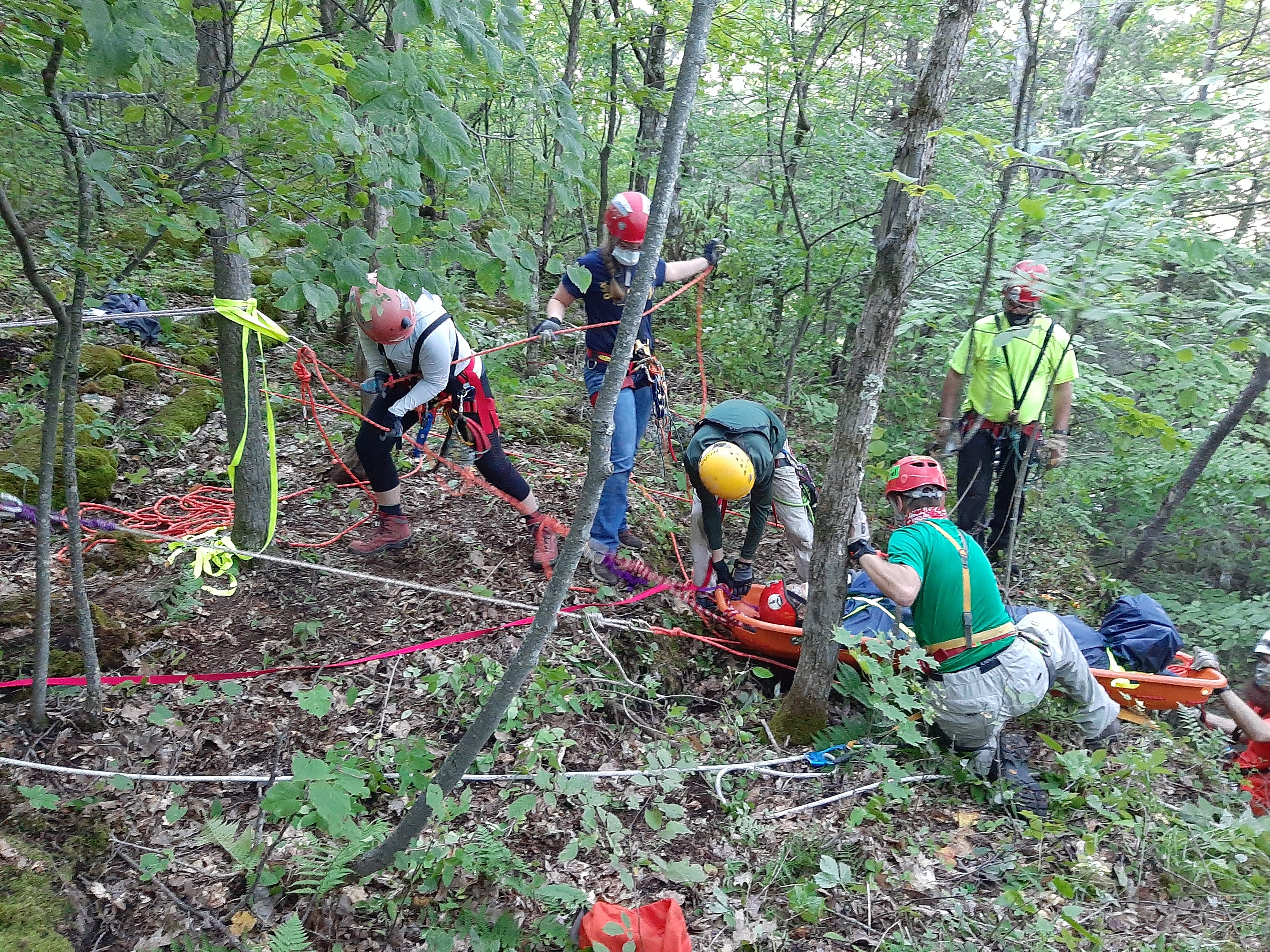
By Saturday night most of the students had passed their check-offs, but not in what I’d call a solid fashion. They were still at the stage where they were simply reproducing what they saw. This is common in the early stages of learning. As a result, I decided to adjust the Sunday morning schedule and spend a bit more time on simply practicing and honing their skills. What we really want at some point is for the skills to “gel” (i.e. go from a liquid state where their ability is in flux to a state where there abilities are more solid). What can be interesting about this is for some folks, this can be a fairly quick process and in fact I noticed by lunchtime for a number of students, their abilities had gone from simple rote reproduction to an actual more gelled state. After lunch we put in some more time and with some of the students I’d simply walk up, call out a knot for them to tie, walk away, give them a minute or so and come back to see what they had done. In most cases, they were successful. The night before that would not have worked. They’re still a long way to go from being as good as I or they might like, but they were no ready to go out in the field and safely put a patient over the edge.

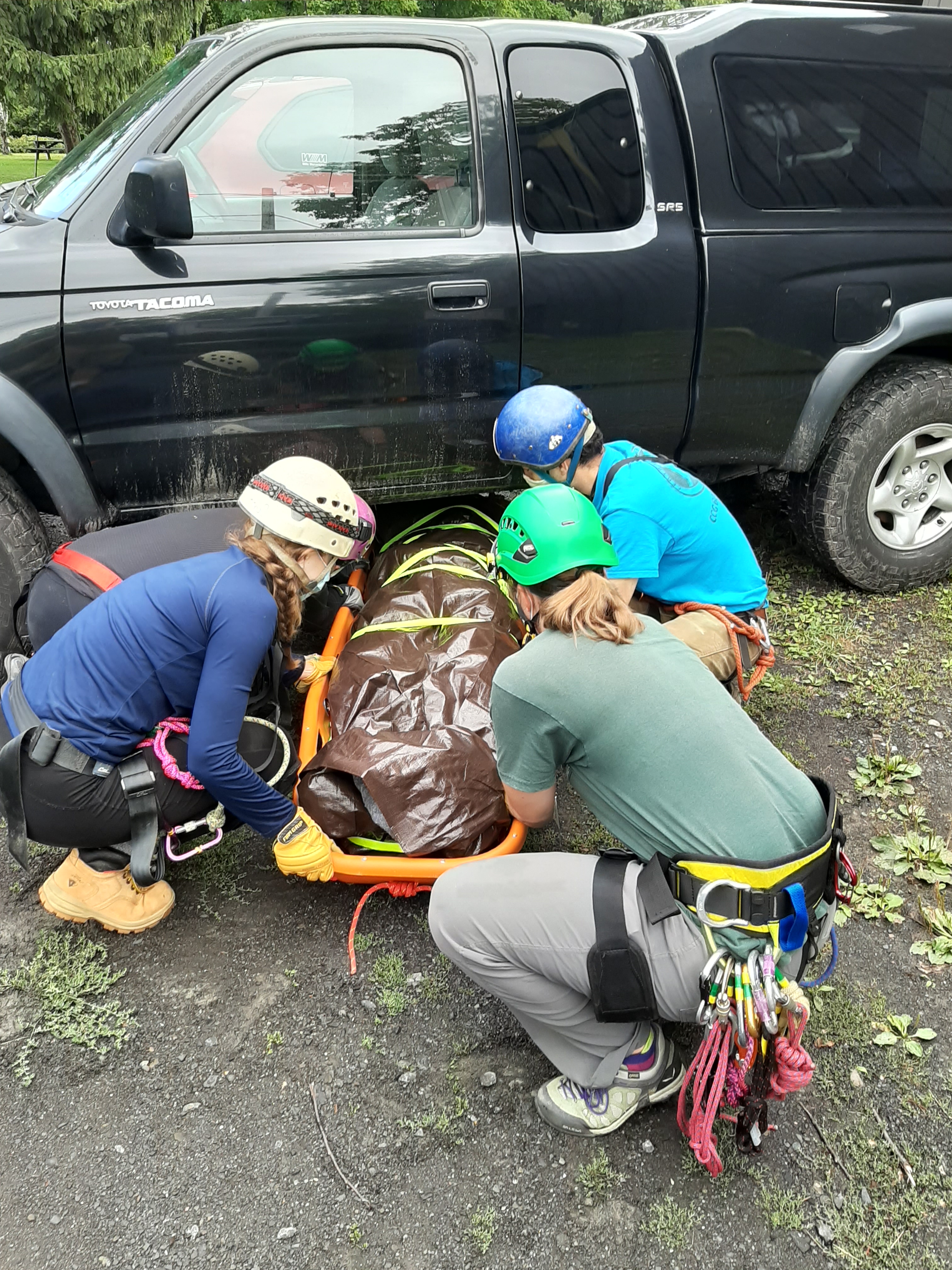
Level 1 students pull a patient up over a cliff

Safely getting a patient over the edge

Concluding

So we have two more weekends to go before they can call themselves trained as Level 1 students and hopefully they’ll keep learning and improving beyond that. For me, as long and tiring as the weekend was (I think I got about 5-6 hours of sleep each night, at most) it was rewarding because I got to see students learn skills we taught AND because I got to learn stuff too. It was a great weekend and I look forward to the next two.20200829_134511


SQL Saturday Albany 2020

So, another SQL Saturday Albany is in the books. First, I want to thank Ed Pollack and his crew for doing a great job with a changing and challenging landscape.  While I handle the day to day and monthly operations of the Capital Area SQL Server User Group, Ed handles the planning and operations of the SQL Saturday event. While the event itself is only 1 day of the year, I suspect he has the harder job!

This year of course planning was complicated by the fact that the event had to become a virtual event. However, it’s a bit ironic we went virtual because in many ways, the Capital District of NY is probably one of the safer places in the country to have an in-person event. That said, virtual was still by far the right decision.

Lessons Learned

Since more and more SQL Saturdays will be virtual for the foreseeable future, I wanted to take the opportunity to pass on some lessons I learned and some thoughts I have about making them even more successful. Just like the #SQLFamily in general passing on knowledge about SQL Server, I wanted to pass on knowledge learned here.

For Presenters

The topic I presented on was So you want to Present: Tips and Tricks of the Trade. I think it’s important to nurture the next generation of speakers. Over the years I was given a great deal of encouragement and advice from the speakers who came before me and I feel it’s important to pass that on. Normally I give this presentation in person. One of the pieces of advice I really stress in it is to practice beforehand. I take that to heart. I knew going into this SQL Saturday that presenting this remotely would create new challenges. For example, on one slide I talk about moving around on the stage. That doesn’t really apply to virtual presentations. On the other hand, when presenting them in person, I generally don’t have to worry about a “green-screen”. (Turns out for this one I didn’t either, more on that in a moment.)

So I decided to make sure I did a remote run through of this presentation with a friend of mine. I can’t tell you how valuable that was. I found that slides I thought were fine when I practiced by myself didn’t work well when presented remotely. I found that the lack of feedback inhibited me at points (I actually do mention this in the original slide deck). With her feedback, I altered about a 1/2 dozen slides and ended up adding 3-4 more. I think this made for a much better and more cohesive presentation.

Tip #1: Practice your virtual presentation at least once with a remote audience

They don’t have to know the topic or honestly, even have an interest in it. In fact I’d argue it might help if they don’t, this means they can focus more on the delivery and any technical issues than the content itself. Even if you’ve given the talk 100 times in front of a live audience, doing it remotely is different enough that you need feedback.

Tip #2: Know your presentation tool

This one actually came back to bite me and I’m going to have another tip on this later. I did my practice run via Zoom, because that’s what I normally use. I’m used to the built-in Chroma Key (aka green-screen) feature and know how to turn it on and off and to play with it. It turns out that GotoWebinar handles it differently and I didn’t even think about it until I got to that part of my presentation and realized I had never turned it on, and had no idea how to! This meant that this part of my talk didn’t go as well as planned.

Tip #3: Have a friend watch the actual presentation

I actually lucked out here, both my kids got up early (well for them, considering it was a weekend) and watched me present. I’m actually glad I didn’t realize this until the very end or else I might have been more self-conscious. That said, even though I had followed Tip #1 above, they were able to give me more feedback. For example, (and this relates to Tip #2), the demo I did using Prezi was choppy and not great. In addition, my Magnify Screen example that apparently worked in Zoom, did not work in GotoWebinar! This feedback was useful. But even more so, if someone you know and trust is watching in real-time, they can give real-time feedback such as issues with bandwidth, volume levels, etc.

Tip #4: Revise your presentation

Unless your presentation was developed exclusively to be done remotely, I can guarantee that it probably need some changes to make it work better remotely. For example, since most folks will be watching from their computer or phone, you actually may NOT need to magnify the screen such as you would in a live presentation with folks sitting in the back of the room. During another speaker’s presentation, I realized they could have dialed back the magnification they had enabled in SSMS and it would have still been very readable and also presented more information.

You also can’t effectively use a laser pointer to highlight items on the slide-deck.

You might need to add a few slides to better explain a point, or even remove some since they’re no longer relevant. But in general, you can’t just shift and lift a live presentation to become a remote one and have it be as good.

Tip #5: Know your physical setup

This is actually a problem I see at times with in-person presentations, but it’s even more true with virtual ones and it ties to Tip #2 above. If you have multiple screens, understand which one will be shown by the presentation tool. Most, if not all, let you select which screen or even which window is being shared. This can be very important. If you choose to share a particular program window (say PowerPoint) and then try to switch to another window (say SSMS) your audience may not see the new window. Or, and this is very common, if you run PowerPoint in presenter mode where you have the presented slides on one screen, and your thumbnails and notes on another, make sure you know which screen is being shared. I did get this right with GotoWebinar (in part because I knew to look for it) but it wasn’t obvious at first how to do this.

In addition, decide where to put your webcam! If you’re sharing your face (and I’m a fan of it, I think it makes it easier for others to connect to you as a presenter) understand which screen you’ll be looking at the most, otherwise your audience may get an awkward looking view of you always looking off to another screen. And, if you can, try to make “eye contact” through the camera from time to time. In addition, be aware, and this is an issue I’m still trying to address, that you may have glare coming off of your glasses. For example, I need to wear reading glasses at my computer, and even after adjusting the lighting in the room, it became apparent, that the brightness of my screens alone was causing a glare problem. I’ll be working on this!

Also be aware of what may be in the background of your camera. You don’t want to have any embarrassing items showing up on your webcam!

For Organizers

Tip #6: Provide access to the presentation tool a week beforehand

Now, this is partly on me. I didn’t think to ask Ed if I could log into one of the GotoWebinar channels beforehand, I should have. But I’ll go a step further. A lesson I think we learned is that as an organizer, make sure presenters can log in before the big day and that they can practice with the tool. This allows them to learn all the controls before they go live. For example, I didn’t realize until 10 minutes was left in my presentation how to see who the attendees were. At first I could only see folks who had been designated as a panelist or moderator, so I was annoyed I couldn’t see who was simply attending. Finally I realized what I thought was simply a label was in fact a tab I could click on. Had I played with the actual tool earlier in the week I’d have known this far sooner.  So organizers, if you can, arrange time for presenters to log in days before the event.

Tip #7: Have plenty of “Operators”

Every tool may call them by different names but ensure that you have enough folks in each “room” or “channel” who can do things like mute/unmute people, who can ensure the presenter can be heard, etc. When I started my presentation, there was some hitch and there was no one around initially to unmute me. While I considered doing my presentation via interpretive dance or via mime, I decided to not to. Ed was able to jump in and solve the problem. I ended up losing about 10 minutes of time due to this glitch.

Tip #8: Train your “Operators”

This goes back to the two previous tips, make sure your operators have training before the big day. Setup an hour a week before and have them all log in and practice how to unmute or mute presenters, how to pass control to the next operator, etc. Also, you may want to give them a script to read at the start and end of each session. “Good morning. Thank you for signing in. The presenter for this session will be John Doe and he will be talking about parameter sniffing in SQL Server. If you have a question, please enter it in the Q&A window and I will make sure the presenter is aware of it. This session is/isn’t being recorded.” At the end a closing item like, “Thank you for attending. Please remember to join us in Room #1 at 4:45 for the raffle and also when this session ends, there will be a quick feedback survey. Please take the time to fill it out.”

Tip #9: If you can, have a feedback mechanism

While people often don’t fill out the written feedback forms at a SQL Saturday, when they do, they can often be valuable. Try to recreate this for virtual ones.

Tip #10Have a speaker’s channel

I hadn’t given this much thought until I was talking to a fellow speaker, Rie Irish later, and remarked how I missed the interaction with my fellow speakers. She was the one who suggested a speaker’s “channel” or “room” would be a good idea and I have to agree. A private room where speakers can log in, chat with each other, reach out to operators or organizers strikes me as a great idea. I’d highly suggest it.

Tip #11: Have a general open channel

Call this the “hallway” channel if you want, but try to recreate the hallway experience where folks can simply chat with each other. SQL Saturday is very much a social event, so try to leverage that! Let everyone chat together just like they would at an in-person SQL Saturday event.

For Attendees

Tip #12: Use social media

As a speaker or organizer, I love to see folks talking about my talk or event on Twitter and Facebook. Please, share the enthusiasm. Let others know what you’re doing and share your thoughts! This is actually a tip for everyone, but there’s far more attendees than organizers/speakers, so you can do the most!

Tip #13: Ask questions, provide feedback

Every platform used for remote presentations offers some sort of Q&A or feedback. Please, use this. As a virtual speaker, it’s impossible to know if my points are coming across. I want/welcome questions and feedback, both during and after. As great as my talks are, or at least I think they are, it’s impossible to tell without feedback if they’re making an impact. That said, let me apologize right now, if during my talk you tried to ask a question or give feedback, because of my lack of familiarity with the tool and not having the planned operator in the room, I may have missed it.

Tip #14: Attend!

Yes, this sounds obvious, but hey, without you, we’re just talking into a microphone! Just because we can’t be together in person doesn’t mean we should stop learning! Take advantage of this time to attend as many virtual events as you can! With so many being virtual, you can pick ones out of your timezone for example to better fit your schedule, or in different parts of the world! Being physically close is no longer a requirement!

In Closing

Again, I want to reiterate that Ed and his team did a bang-up job with our SQL Saturday and I had a blast and everyone I spoke to had a great time. But of course, doing events virtually is still a new thing and we’re learning. So this is an opportunity to take the lessons from a great event and make yours even better!

I had a really positive experience presenting virtually and look forward to my PASS Summit presentation and an encouraged to put in for more virtual SQL Saturdays after this.

In addition, I’d love to hear what tips you might add.

Advanced Braining

I’m currently reading the tome The Power Broker by Robert Caro. For those not familiar with it, it’s the Pulitzer Prize winning biography of Robert Moses. “Robert who?” you may be asking? Robert Moses, perhaps more than any single person literally shaped New York City in the mid-20th Century. Due to his power, he was responsible in NYC alone, for getting the Triborough Bridge, Brooklyn-Battery Tunnel, West Side Highway, Cross-Bronx Expressway, and many other large scale projects built. He outlived a number of borough presidents, mayors, governors and even Presidents. Arguably, for decades he was the most powerful man in NYC, at least in terms of how many was spent and what projects were completed. In many ways he was a visionary.

However, as the chapter I’m currently in discusses, he also could be extremely short-sighted. I’ll come back to that in a moment.

In the past week, several small incidents occurred in my life. Separately, they don’t necessarily mean much, but taken together, I realized there was a little theme associated with them.

Last Tuesday I posted an update on my dryer repair and an issue at one of my clients. I described the work incident as an example of the normalization of deviance. A few hours later, someone I’ve known for decades, originally online, but have since met in person, Derek Lyons (who has a great blog of his own on anime, a subject about which I know nothing) posted a reply to me on Facebook and said he had read my article, liked it, but thought I was wrong. I was intrigued. You can see his comment and my reply at the bottom of last week’s post. The general point though is I think he showed my thinking was incomplete, or at least my explanation was. In either case, it made the overall article a better one.

Then on Wednesday, my editor at Redgate, Kathi Kellenberger  emailed me with changes to my most recently submitted article. One of the changes was to the title of the article. Now, I’ve come to value Kathi’s input, but I wasn’t keen on the title change, so I suggested something different. She wrote back and recommended we go with hers, How to Add Help to PowerShell Scripts because she said “How to…” generates more hits on search engines and in fact a previous article of mine How to Use Parameters in PowerShell was one of their most read articles at the time (106K hits and climbing). I went with her advice.

Yesterday, a friend contacted me. He was in the middle of doing grading for his students and the numbers on his Excel spreadsheet weren’t quite making sense. The errors weren’t huge, but just enough to make him go “hmmm”. So, he reached out to me to take a look. After a few minutes of digging I understood what was happening and able to write back to him and give him a better solution.

All these have something in common: the final product was better because of collaboration. This is a common theme of mine: I’ve talked about the chat system I use at RPI, I’ve talked about making mistakes. In general, I think that when trying to solve a problem, getting additional input is often valuable.

So back to Robert Moses. In the early part of his career, before his efforts focused mostly on NYC itself, he was responsible for other projects, such as the Northern State Parkway and the Southern State Parkway and Jones Beach on Long Island. He started his career in a time when cars were mostly a vehicle of the well-off and driving a parkway was expected to be a pleasant experience (hence the name). His efforts were built around more and more parkways and highways.

By the 1950s though, it was becoming apparent to most everyone else that additional highways actually generated more traffic than they routed away from the area surface roads. What was originally considered a blessing in disguise, where a bridge, such as the Triborough would quickly generate more traffic (and hence more tolls) than expected, was soon seen as a curse. For every bridge or tunnel built in or around NYC, traffic increased far more than expected. And this came at a price. Urban planners around the country were starting to see the effects. Efforts to build more bridges or highways to ease traffic congestion were actually creating more. Even in NYC as Moses was planning for his next large projects opposition was slowly building. However, Robert Moses was blind to the problem. By the 1950s and 60s he had so surrounded himself by “yes men” that no dissidence was permitted. In addition, opposition outside of this offices was silenced by almost any means Moses could use, including apparently the use of private detectives to dig up dirt on opponents.

In the current chapter I’m reading, Caro, the author, details exactly how much money the Triborough Bridge Authority (which was in practice, though not theory, under Moses absolute control) and the Port Authority had available for upcoming projects, including the planned Verrazzano-Narrows Bridge. He goes on to explain how badly the infrastructure of the NY Subway system and the LIRR had fallen into disrepair. Caro suggests how much better things could have been had just a portion of the money the TBA and PA had at their authority had been spent on things like the Second Avenue Subway (something that is only now coming to fruition and will take possibly decades more to complete). Part of the issues with the subway system can be lain directly at the feet of Moses due to earlier efforts of his to get the city to fund his other projects. The issues with the LIRR however were more an indirect result of his highway building out into Long Island.

I suspect some of Caro’s claims are a bit idealistic and would have cost more than the projections at the time (like most projects) and while I think most of the projects he touches upon probably should have been built in the 50s (the Second Avenue Subway being one of them and the LIRR East Side Access being another) they weren’t because of a single man who brooked no disagreement and was unwilling to reconsider his plans.

Robert Moses was a man who got things done. Oftentimes that’s a good thing. And honestly, I think a number of his achievements are remarkable and worthy of praise.

But I have to wonder, how much better of a city could New York be, had Robert Moses listened to others, especially in the 1950s and 60s.

Today’s takeaway? Take the time to listen to input and ask for it. You may end up with a better solution in the long wrong.


Pushing Solutions, not Products

Earlier this week, the governor of New Jersey put out a call for more COBOL programmers. Everything old is new again. Last time I remember such a call was around the year 2000. That said, while I never had the opportunity to learn COBOL, I’m amused by this. It reminds me of a quote I heard in college about Fortran and how one expert didn’t know what language engineers would be programming in in the 21st Century, but they’d call it FORTRAN.

But, I highlight these two languages because the truth is, they are the exception. In reality one has to constantly keep learning. The times, they are a changing as a poet once said. Fortunately for me I’ve been busy during this Covid-19 lockdown, but even still I have free time (some who read my blog may argue too much time!) That said, I’ve been trying to take more time to catch some webinars and to learn new skills.

Over the past few weeks I’ve got a couple of SQL PASS WIT Webinars under my belt. Last week however, I took advantage of Redgate’s Streamed event. (full disclosure: Redgate does pay me for the articles I write for Simpletalk but what I write here is not paid for by Redgate in any way).

There were a lot of great webinars and I did not catch all of them, so please don’t take my lack of mentioning any as a comment on their quality. There were also some I could only listen to partly as I was actually doing work at the time.

First off, I started with Kendra Little‘s session using git for database development. I’m still moving in this direction and it gave me a good insight into what I’m doing right and moreover what I’m doing wrong and how to improve it. I recommend this session to anyone trying to get version control into their database development.

Unfortunately I had to split attention to Grant Fritchey‘s session on learning to effectively use Extended Events (I do have to do billable work from time to time) but did catch some good stuff. Again, if you haven’t played with Extended Events, please do! I recently used them to help debug an issue I was having with a client and their Reporting Server (yes! you can write them for an SSAS instance!) Go Team #ExtEvents.

Andy Mallon’s session on shortcuts for the DBA was excellent and seemed to generate the most feedback in the chat window. I suggest you go to his page and find his print-out for keyboard shortcuts for SSMS. It’ll save you a lot of time. That said, watch the video if you can and see how well Kendra Little did on her “job interview”. (To be fair, I suspect most of us would have done about the same!)

Steve Jone’s session on unit tests was good, at least what I caught of it. Again, client work got in the way. I may go back to specifically watch this one.

After that, I had time to catch Grant Fritchey’s session on SQL Injection. It still amazes me how many programmers STILL write code so susceptible to this. He had a lot of great examples and offered some solutions. Note there’s no single right answer, but there’s definitely a lot of lousy answers.

Friday brought Rob Sewell speaking about SQL Notebooks and using Jupyter. I haven’t used this yet, but it’s on my list for the year.

Again, a great presentation by Grant Fritchey, this time on convincing the DBA to support DevOps. I’m come back to this in a bit.

I think the highlight of Friday was the costumes. In honor of SQLBits which was postponed this year, several of the presenters wore costumes. I think Steve Jones, with his hat, wig, and glasses won in the pure costume category. (You’ll have to check out the videos). But, that said, Kendra took the overall prize with her corgi Freya on her back in a pack. There was just something so wonderful watching her talk about index tuning as she’d casually feed a carrot over her shoulder.

Again there were other sessions and speakers, and even if I didn’t mention them, their presentations were top notch and worth the watch. Again, you can go to: https://www.red-gate.com/hub/events/redgate-events/redgate-streamed/ and catch them o demand. I recommend it.

One of the overarching themes I picked up on was an emphasis on DevOps and using both tools and processes to achieve a successful DevOps environment. Note that I think both are critical. One can have all the best tools, but without good processes, not much will be accomplished. Honestly, one take away I got was I’d rather have good processes and develop my own tools than have tools, but no process. This focus makes sense given Redgates focus on DevOps.  I now in the past I’ve made the mistake of simply thinking of them as a company that sells some cool tools.

I want to close with saying, one thing I appreciate about the #SQLFamily and Redgate does this well, is generally members focus more on solving problems than pushing specific products. I’ve attended more than one webinar hosted by RedGate where other than mentioning them as a sponsor, their name hasn’t come up at all. I’ve seen other members of #SQLFamily do the same thing. They may work for a company that provides tools and solutions, but if you use #sqlhelp on Twitter, you’ll find almost always it’s people there are about solving your problem, not pushing their software or solution.

So that was how I spent part of last week in lock-down. How about you?

P.S. I also made some boule bread to with the homemade chili on Saturday. It was a winner in the Moore House Hold.


Bits are cheap

And, as unfortunately as a recent incident in our #SQLFamily community illustrated, apparently at times so is respect.  Bear with me as I relate these two ideas and another incident.

Let me start with a statement that should make more sense by the end of this post: My name is Gregory, but I prefer that you call me Greg. My pronouns are he/him/his.

But first a trip down memory lane. Many of us recall the Y2K issue. This was a direct result of programmers decades ago trying to save bytes in storage (and to a lesser extent memory and CPU cycles) because storage was expensive. By storing dates as just the last two digits of the year, they could cut the storage for years in half. This was important back then because it saved money. But, as many of us recall, as the year 2000 approached, this started to cause more and more problems. (As a point aside, the first example I’m aware of was brought to my attention by a programmer who worked for a bank in 1970. Seems as if they suddenly had issues handling 30 year mortgages!)

Since then of course the cost of storage has dropped and as an industry we’ve moved to storing years as a 4-digit year. No one in today’s day and age would normally question this decision.

But enough of ancient history, let me get to the point of this article: respecting others.

As many readers know, those of us on Twitter will often use the hashtag #SQLFamily.  In the past week I’ve seen two incidents that have illustrated the worst and the best of this family.

In the first case, a member of the community, a woman I had never met, said she was leaving the family, she no longer felt welcome. At an event she had been misgendered not once, but multiple times. For those who aren’t sure what that means, I will, without going into background or details (because they’re not important) say she is a trans-woman. Several people at the event took it upon themselves to refer to her using by male pronouns.

In the most recent case, a fellow speaker, Cathrine Wilhemsen tweeted about how she had been addressed as Cathi and Kathi twice in the previous 24 hours. She says this hasn’t been the only time, but just the most recent and recent enough for her to comment on.

In both cases, part of the problem is that strangers addressed the person in question in a manner that did not respect them; in the first case by not using the proper pronouns and in the second by not using her provided name.

But that’s one part of the problem.  So let’s address that: we have members of the #sqlfamily who don’t respect other members. But, we have another issue, and one that I think is important to address: those who minimize the issue. In the first case, apparently no one called out the folks misgendering the woman.  In a situation like this, a show of support can be as simple as saying something like, “Umm, I think you mean she, not he.”  You can also support the use of pronouns on nametags at events or in the bio descriptions for events.

Remember though, today, bits are cheap. So we can do more. Don’t design your database with a bit field for gender. Make it a table. These are relational databases after all. Have a table for possible gender identifications. Allow for a method to add rows to this table. Have a table for pronouns.  There’s more than you might think and people are often crafting additional ones. While the singular they/them is becoming more popular, it’s NOT the only alternative to he/him, she/hers.

We are data professionals after all. We absolutely should not lock our data into a single view of the world if that worldview is changing. (Note, the world is not changing, there have been multiple genders throughout recorded history.  We’re simply becoming more cognizant of it now.)

In the case of Cathrine being called by another name, keep it simple. Use the name provided, be it in an introduction, on the nametag or other method. Respect the person’s wishes. And do not, as some did on Twitter respond by “well they probably didn’t mean anything” or “eh, just roll with it.” It’s not YOUR name. It’s not YOUR identity. Sure, you might not care if someone calls you Richard, Rick, Ricky or Dick. But another person might. Their name is part of their identity, respect their wishes.  I will add one more note that Cathrine shared with me and that other women have shared with me, it is almost always men that will use nicknames or cute names or similar without prompting.  Yes, fellow men, I’m calling you out. We may not think about it. In fact I would argue we often don’t think about it. It’s something that privilege allows us. But be aware that your attempt to be friendly or familiar is actually often coming off as diminishing and condescending.

Now, despite the failure of some members of #SQLFamily, I want to celebrate the great people in the community. These two incidents have created a lot of responses. I’ve seen at least two great posts, one from Jen McCown and another from Kellyn Gorman. I’m sure there are others. I also have written in the past about being an ally. But in addition, while I’ve seen one or two tweets that have dismissed Cathrine’s tweet, I’ve seen many members rally to the defense of the women in both incidents. And, also very importantly, I’ve seen several tweets from people asking, “how can I help?” or “how can I improve my behavior?” I love that last one. I’m constantly trying to unlearn some of the behaviors I was taught and to be more conscious of what being a white, straight cis-het male brings to the table. We can always learn to do better.

Yes, our #SQLFamily has some members who could and need to do better. That saddens me. Fortunately as I’ve seen, it also has a lot of members actively striving to do better and help others do better. That gladdens me. Let’s all be the latter.

Respect and disk space don’t cost us much. Let’s learn to be respectful of people and to design databases that can also respect the world around us.

P.S. I want to note, I was purposely vague about the first incident because the specifics weren’t important and I did not want to draw more attention to a specific person without their permission. In Cathrine’s case, I made a point of respecting her and exchanged messages with her first to make sure she was ok with me bringing more attention to the incident.